Automate Teams App vs Traditional Task Trackers: From Task Assignment to Completion
Compare Automate Teams App with traditional task trackers to manage task assignment, reminders, team chat, attendance and payroll in one workspace.
Automate Business Team ·
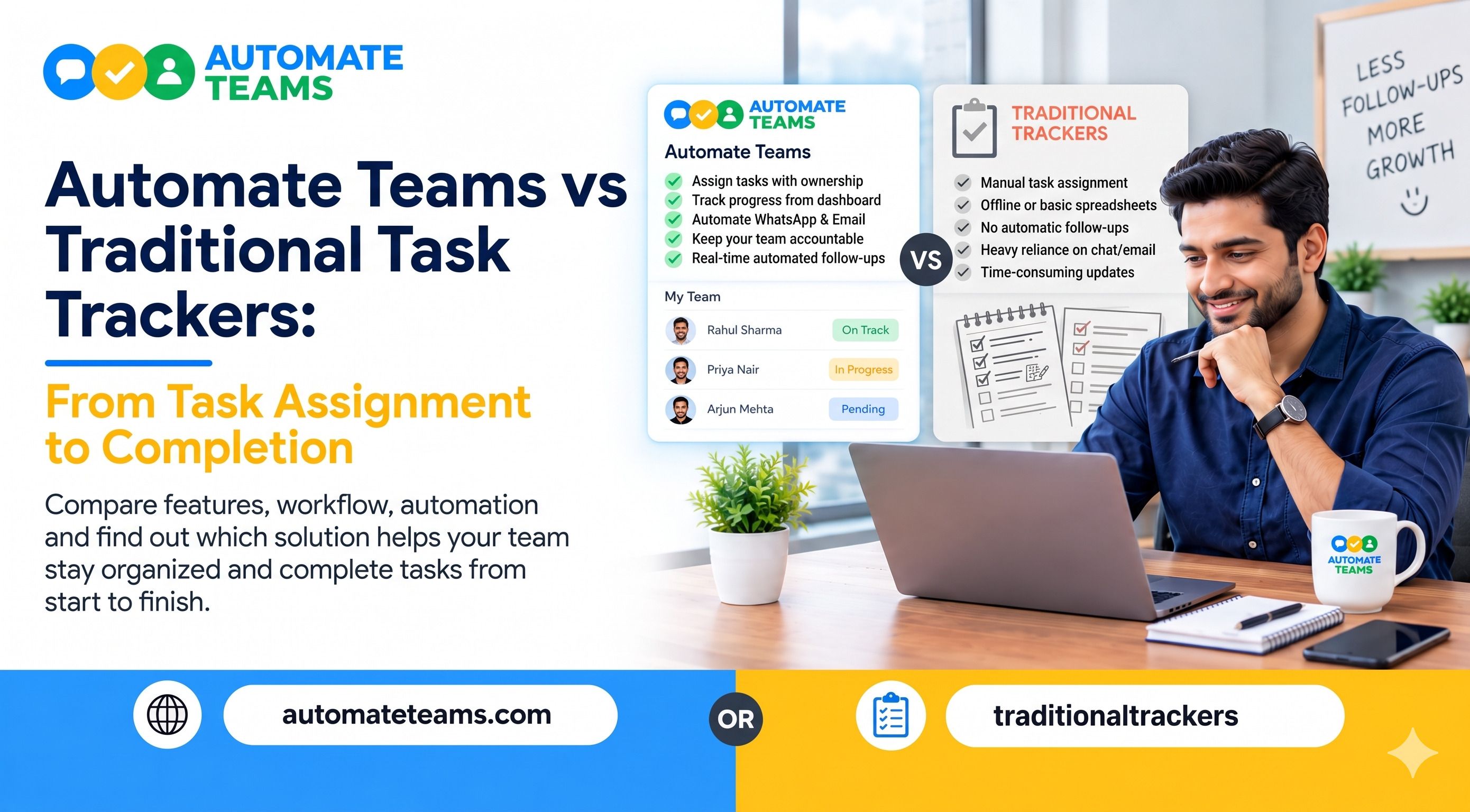
The Automate Teams App takes work from task assignment to completion in one workspace, while traditional task trackers mostly record tasks and leave the rest to you. Automate Teams turns team chat into owned tasks, sends reminders on WhatsApp or email, and connects attendance and payroll to the same employee record. A traditional tracker still works for simple lists, but it relies on managers to chase every update.
This article compares Automate Teams App vs traditional task trackers at each stage of a task’s life. You will see how assignment, ownership, reminders, review and completion differ. You will also find a quick guide on who should choose which option, plus answers to common questions.
What Traditional Task Trackers Do Well, and Where They Stop
Traditional task trackers are built around a list. You add a task, set a due date, mark it done and move on. For a small team with a short list, this is often enough.
The trouble starts when work grows. The request usually begins in a chat, call or message, and someone must retype it into the tracker. Details get lost, owners stay unclear and deadlines slip.
These tools also sit apart from the rest of your business. Attendance lives in a register, leave in a spreadsheet and payroll in another system. The manager becomes the link between all of them, and that link is where time disappears.
- Stage One: Task Assignment Starts in the Conversation
Automate Teams App begins where work actually begins, in the conversation. Team channels, direct messages and threads let people share what needs doing. The workflow is simple: discuss the work, give it an owner and keep it moving.
When a message needs action, the manager turns it into a task. Say a team member posts that a truck leaves at 4 PM and the invoice copy is needed first. One click creates the task with an assignee, a deadline, a priority and a checklist.
You can also describe a task in a prompt or voice note, and the Teams App drafts the task, deadline and priority for you. This removes retyping and keeps the original context attached. With a traditional tracker, that context often stays behind in a chat thread. - Stage Two: Clear Ownership and Structure
A task without an owner rarely gets finished. Automate Teams lets you add deadlines, priorities, checklists and sub-tasks to every item. Everyone can see who is responsible and what the next step is.
Roles and permissions control who can see and manage each task. Owners and operations leaders review pending work and coordinate across departments and branches. Employees and field staff check their own tasks on mobile.
The Teams App runs on web, Android and iOS. Staff can update tasks from the office, the godown or the field. A traditional tracker that lives only on a desktop leaves field teams out of the loop. - Stage Three: Task Reminders That Replace Manual Follow-Ups
This is where the two approaches differ most. In a traditional tracker, reminders depend on people opening the app. If your team lives on WhatsApp, those alerts are easy to miss.
Automate Teams App sends automatic WhatsApp or email reminders for task deadlines. The person gets nudged where they already look. The manager no longer spends the morning asking who has done what.
Recurring tasks work the same way. Daily stock counts, weekly approvals and monthly GST invoice collection can be set once and repeated on schedule. Reminders follow each cycle, so routine work takes care of itself. - Stage Four: Review Progress Without Chasing Updates
Managers need a clear view of progress, not a pile of status messages. Automate Teams App shows overdue tasks, work due today and work completed this week. Approvals and recurring items appear in their own views.
Task activity summaries and reports help you spot delays early. Instead of asking five people for updates, you read one summary and decide the next step. This turns review into a quick check rather than a daily meeting.
Traditional trackers can show status, but they rarely connect it to people data. You may see that a task is late without knowing the owner is on leave. In Automate Teams, tasks, attendance and leave sit side by side, so the reason for a delay is easier to find. - Stage Five: Completion Includes the People Behind the Work
Completion is not only a ticked checkbox. It also depends on whether the right people are present, trained and paid correctly. This is where Automate Teams App goes beyond a task tracker.
Staff can clock in with face recognition inside a geo-fence, and leave requests flow to the manager for approval. Attendance, shifts, holidays and approved leave then feed directly into payroll. EPF, ESI and TDS are calculated automatically, which reduces month-end rework.
A built-in learning module helps new joiners complete training, and managers can see course progress. One employee record connects all of it. For MSMEs, this removes the need to stitch together four separate tools.
Pricing and Plans: Room for the Whole Team
Cost often decides how widely a tool gets used. Many task trackers charge per user, so adding staff raises the bill. Owners then limit access, and visibility suffers.
Every Automate Teams App plan includes unlimited workspace members. What changes between plans is the number of active projects, shared storage and how much of the HR, payroll and learning suite is included. Team chat starts on the Growth plan, while leave, attendance and India payroll are part of the Scale and Enterprise plans.
You can start a 7-day free trial or book a demo to see it with your own workflow. Review the Automate Teams pricing page to match a plan to your team size and needs.
Which Option Fits Your Business?
Choose a traditional task tracker if your needs are light. A small team with a short list, no field staff and no HR needs can manage with a simple tool. It is quick to start and easy to understand.
Choose the Automate Teams App if you want work to move without constant chasing. It suits MSMEs, multi-branch businesses and field teams that use WhatsApp every day. It also fits owners who want tasks, attendance, leave and payroll under one roof.
If your manager spends hours each week asking for updates, the gap is not effort. It is the system. Moving from a list-based tracker to a connected workspace closes that gap.
Frequently Asked Questions
- What is the difference between Automate Teams and a traditional task tracker?
A traditional task tracker records tasks and due dates. Automate Teams connects task assignment, team chat, reminders, attendance, payroll and training, so work moves to completion with less chasing. - Can I create tasks from team chat in Automate Teams?
Yes. You can turn a conversation into a task with an owner, deadline, priority and checklist. The context stays next to the work. - Does Automate Teams send task reminders on WhatsApp?
Yes. It supports automatic WhatsApp and email reminders, including reminders for recurring tasks. - Does Automate Teams charge per user?
No. Every plan includes unlimited workspace members. Plans differ in active projects, storage and the HR, payroll and learning features included. - Can attendance data be used for payroll?
Yes. Attendance, shifts, holidays and approved leave feed into payroll, so you do not rebuild the records each month. - Is the Teams inbox the same as Automate Chats?
No. The Teams inbox is for conversations inside your business. Automate Chats is the shared WhatsApp Business API inbox for customer conversations.
Final Verdict
Traditional task trackers help you list work. The Automate Teams App helps you finish it, from the first message to the final approval. It keeps conversation, owner, deadline, reminder and people data in one place. If you want fewer follow-ups and clearer progress, start with the 7-day free trial or book a demo of Automate Teams.